Excerpt
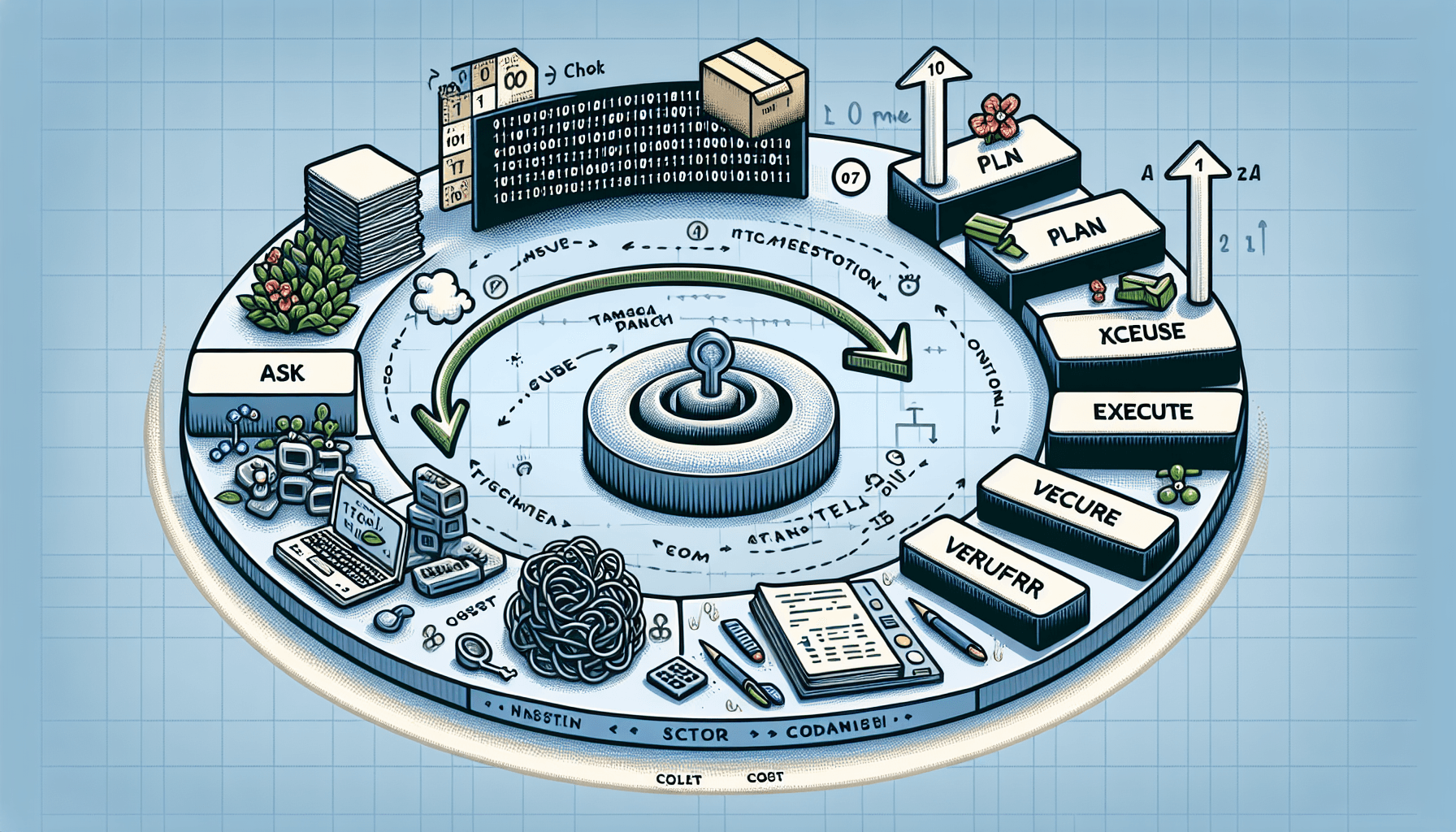
Developers who spend hours writing boilerplate, debugging test failures, and untangling legacy code now have a structurally different option: an agent that implements, tests, and iterates without re-prompting. Claude Code, Anthropic's agentic coding tool delivered as a CLI, moves beyond the familiar pattern of chat-based AI assistance. It reads project files, writes code, runs shell commands, and iterates on errors directly inside the terminal. For structured, well-scoped tasks, this agentic coding workflow shifts the developer's role from writer to reviewer. Learning how it works in practice, including its sharp edges, repays the time spent.
## Table of Contents
## What Is Claude Code? The Shift to Agentic CLI Workflows
### From Chat Copilot to Terminal Agent
The term "agentic coding workflow" describes something specific: an AI system that does not simply suggest code snippets in response to questions but

Developers who spend hours writing boilerplate, debugging test failures, and untangling legacy code now have a structurally different option: an agent that implements, tests, and iterates without re-prompting. Claude Code, Anthropic's agentic coding tool delivered as a CLI, moves beyond the familiar pattern of chat-based AI assistance. It reads project files, writes code, runs shell commands, and iterates on errors directly inside the terminal. For structured, well-scoped tasks, this agentic coding workflow shifts the developer's role from writer to reviewer. Learning how it works in practice, including its sharp edges, repays the time spent.
## Table of Contents
## What Is Claude Code? The Shift to Agentic CLI Workflows
### From Chat Copilot to Terminal Agent
The term "agentic coding workflow" describes something specific: an AI system that does not simply suggest code snippets in response to questions but autonomously plans multi-step tasks, executes them against real project files, and verifies its own work. Claude Code operates on this principle. When given a task, it reads the relevant source files, reasons about the changes needed, writes code across multiple files, runs tests, and loops back to fix failures without requiring the developer to re-prompt at each step.
This stands in contrast to the two dominant modes most developers already use. Chat-based tools like ChatGPT or Copilot Chat have added limited agentic features, but they primarily operate in a conversational mode, generating code the developer reviews and integrates. Inline autocomplete tools like GitHub Copilot or Codeium predict the next few lines within an editor buffer. Claude Code does neither. It operates directly in the real filesystem, modifying actual project files, executing real shell commands, and interacting with the same toolchain the developer uses daily.
For readers evaluating where Claude Code fits relative to other approaches, including running models locally, the Local AI Coding Assistant article provides a useful comparison point along the spectrum from local open-weight models to Anthropic's cloud-powered CLI agent.
### Why the Terminal? The Case for CLI-Native AI
The terminal is where consequential development work happens: git operations, npm scripts, Docker builds, test runners, linters. An AI agent that lives natively in this environment gets first-class access to the full toolchain rather than requiring bridge integrations or editor plugins.
Claude Code's core capabilities reflect this: reading and writing files across the project tree, executing arbitrary shell commands, performing git operations, and reasoning across large codebases with multi-file context. It can navigate a project, understand its structure, and coordinate changes that span several files simultaneously.
Critically, Claude Code implements a permission model. Before executing write operations, running shell commands, or making git commits, it pauses to request explicit approval. It does not silently execute destructive or side-effecting actions. This keeps the developer in the loop on actions that matter while the agent handles the cognitive labor of planning and implementation. Note that read operations, including on sensitive files such as .env or private key files, may occur without explicit prompting during project analysis. Keep this in mind when working in repositories containing secrets.
## Installation and Authentication
### Prerequisites
Claude Code requires Node.js version 18 or later (verify with node --version) and npm (verify with npm --version). Authentication requires either an Anthropic API key or a Claude Max or Pro subscription (these are distinct tiers with different pricing and rate limits; see anthropic.com/pricing for current details). The tool runs on macOS and Linux natively, and on Windows through WSL2 (Windows Subsystem for Linux, version 2; WSL1 is not recommended due to filesystem and Node.js compatibility limitations). For best performance on Windows, keep project files within the WSL2 filesystem rather than on the Windows-mounted /mnt/c/ path.
### Installing and Connecting
Security note: Exporting an API key directly in the shell stores it in plaintext in your shell history (.bash_history, .zsh_history). To avoid this, prefix the command with a leading space (works in bash/zsh with default settings), or load the key from a .env file using a tool like direnv.
On first launch, Claude Code walks through an authentication flow. Developers using a Claude subscription authenticate through Anthropic's OAuth flow. Those using API keys directly can export the key as an environment variable before launching.
### Quick Configuration Tips
You configure project-specific behavior in .claude/settings.json at the project root. This file controls model preferences, permission auto-approval levels for specific operation types, and other behavioral settings. Commit this file to version control to standardize how Claude Code behaves across contributors.
Caution: If committing .claude/settings.json to version control, ensure the file does not contain API keys or overly permissive auto-approval settings that would be inappropriate for contributors outside your trust boundary. Do not commit this file to public repositories if it contains organization-specific configuration.
Setting permission levels appropriately, such as auto-approving file reads while requiring explicit approval for shell commands, reduces friction without sacrificing oversight.
Claude Code also reads a CLAUDE.md file at the project root as persistent context. Use it to document architecture decisions, naming conventions, prohibited patterns, and any project-specific constraints the agent should always have. This file is read at the start of every session, giving the agent baseline knowledge about your codebase before you issue any prompts.
## The Core Workflow: Ask, Plan, Execute, Verify
### Understanding the Agentic Loop
Claude Code operates through a four-phase cycle that distinguishes it from simpler AI coding tools:
1. Ask. You describe the task in natural language within the CLI. This can range from a single sentence to a detailed specification with constraints.
2. Plan. Claude Code reads relevant files, analyzes the project structure and dependencies, and proposes a multi-step plan. It identifies which files need modification, what new files should be created, and what commands need to run.
3. Execute. Once you approve, it writes code, modifies files, installs dependencies, and runs commands across multiple files and sequential operations.
4. Verify. The agent runs tests, checks for compilation or runtime errors, and if something fails, loops back autonomously to diagnose and fix the issue. This iteration continues until the task passes or the agent determines it needs human input.
The key differentiator is that this loop can run through multiple iterations without requiring the developer to re-prompt. When a test fails after refactoring, Claude Code reads the error output, reasons about the cause, applies a fix, and re-runs the test. This autonomous error-correction cycle is what makes it agentic rather than merely generative.
### Your New Role: Reviewer, Not Writer
With Claude Code handling implementation, the developer's job shifts to three activities: framing the right task with enough specificity, reviewing the diffs produced by the agent, and approving or rejecting proposed changes. At the time of writing, /diff displays what changed across files and /undo rolls back the most recent changes; verify current command availability with claude --help. Conversational follow-ups refine behavior incrementally, such as asking the agent to rename a function or adjust an approach after reviewing its initial output.
### Prompt Engineering for Agentic Tasks
Prompt quality directly affects output quality in an agentic context, more so than with chat-based tools because the agent acts on prompts autonomously across multiple steps. The difference between vague and precise prompts compounds with each step of the agentic loop.
```plain text
> Convert the callback-based functions in src/utils/fileProcessor.js to async/await
async/await, wrap each in try/catch with descriptive Error messages, add JSDoc
using Node's built-in test runner (node:test), and run the tests to confirm they pass.
```
### The Permission Model in Practice
Claude Code pauses for explicit approval before file writes, shell command execution, and git operations by default. Claude Code reads files and analyzes the project without asking for approval. You can configure trust levels to auto-approve specific categories of operations, for instance allowing file writes within the project directory while still gating shell commands. You configure this in .claude/settings.json and can override these per session with CLI flags. The goal is to find the right balance: too much gating slows the agentic loop, while too little removes the safety net that makes autonomous execution trustworthy.
## Real-World Test: Refactoring a Legacy Node.js Module
### The Setup: A Messy Callback-Based Utility
Every codebase has at least one file like this: a utility module written years ago with nested callbacks, no error handling, inconsistent naming, and zero tests. The kind of file that works but that nobody wants to modify. The following represents a realistic legacy Node.js module of roughly 30 lines that reads configuration from disk and fetches data from an API using nested callbacks.
```plain text
const fs = require('fs');
const https = require('https');
function loadConfig(path, cb) {
fs.readFile(path, 'utf8', function(err, data) {
if (err) return cb(err);
var config = JSON.parse(data);
cb(null, config);
function fetchData(url, cb) {
https.get(url, function(res) {
var body = '';
res.on('data', function(chunk) { body += chunk; });
res.on('end', function() {
cb(null, JSON.parse(body));
}).on('error', function(err) {
function processUserData(configPath, cb) {
loadConfig(configPath, function(err, config) {
if (err) return cb(err);
fetchData(config.apiUrl + '/users', function(err, users) {
if (err) return cb(err);
var active = users.filter(function(u) { return u.active; });
cb(null, active);
module.exports = { loadConfig, fetchData, processUserData };
```
No try/catch around JSON.parse, var declarations instead of const/let, no JSDoc, no tests. Functional but brittle.
### The Prompt: Telling Claude Code What to Refactor
The following prompt was issued directly in the Claude Code CLI:
```plain text
- Wrap JSON.parse calls in try/catch with descriptive error messages
- Add JSDoc comments to every exported function
- Create test/userService.test.js using Node's built-in test runner (node:test)
```
This prompt is specific about the transformation, the verification step, and the constraint against external dependencies.
### Watching the Agent Work: Step by Step
Claude Code began by reading the target file and identifying its structure: three functions, all callback-based, with fs and https as dependencies. It proposed a plan: convert loadConfig to use fs/promises, replace fetchData with a promise-wrapped https.get (since Node's https module does not have a native promise API), modernize processUserData to use await, add error handling, and generate tests.
Upon approval, it rewrote the module, created the test file, and ran node --test test/userService.test.js. The first run surfaced a failure: the test for loadConfig expected a specific error message that did not match the thrown error's text. Claude Code read the test output, identified the mismatch, adjusted the assertion, and re-ran the tests. They passed on the second attempt.
> This autonomous error-correction loop, reading test output, diagnosing the mismatch, applying the fix, and re-verifying, is precisely what separates an agentic workflow from a chat-based one.
### The Result: Reviewing the Output
```plain text
const fs = require('fs/promises');
const https = require('https');
async function loadConfig(configPath) {
data = await fs.readFile(configPath, 'utf8');
throw new Error(
`Cannot read config file: ${readError.code ?? readError.message}`
return JSON.parse(data);
throw new Error(`Invalid JSON in config file: ${parseError.message}`);
async function fetchData(url) {
parsed = new URL(url);
throw new Error(`fetchData: invalid URL provided`);
if (parsed.protocol !== 'https:') {
throw new Error(`fetchData: only HTTPS URLs are permitted`);
return new Promise((resolve, reject) => {
const req = https.get(url, (res) => {
if (res.statusCode < 200 || res.statusCode >= 300) {
let errorBody = '';
res.on('data', (chunk) => { errorBody += chunk; });
res.on('end', () => {
reject(new Error(
`HTTP ${res.statusCode} from ${url}: ${errorBody.slice(0, 200)}`
let body = '';
let bodyLength = 0;
res.on('data', (chunk) => {
bodyLength += chunk.length;
reject(new Error(`Response from ${url} exceeded ${MAX_BODY_BYTES} bytes`));
res.on('end', () => {
resolve(JSON.parse(body));
reject(new Error(`Invalid JSON response from ${url}: ${parseError.message}`));
req.setTimeout(10_000, () => {
req.destroy(new Error(`Request to ${url} timed out after 10s`));
req.on('error', (err) => {
reject(new Error(`Request to ${url} failed: ${err.message}`));
async function processUserData(configPath) {
const config = await loadConfig(configPath);
const users = await fetchData(`${config.apiUrl}/users`);
if (!Array.isArray(users)) {
throw new Error(
`processUserData: expected array from API, got ${typeof users}`
return users.filter((user) => user.active);
module.exports = { loadConfig, fetchData, processUserData };
```
The auto-generated test file:
```plain text
const { describe, it, before, after } = require('node:test');
const assert = require('node:assert/strict');
const { loadConfig, processUserData } = require('../src/utils/userService');
const path = require('path');
const fs = require('fs/promises');
const os = require('os');
describe('userService', { concurrency: false }, () => {
let tmpDir;
before(async () => {
tmpDir = await fs.mkdtemp(path.join(os.tmpdir(), 'userservice-test-'));
after(async () => {
await fs.rm(tmpDir, { recursive: true, force: true });
it('loadConfig parses a valid JSON file', async () => {
const configPath = path.join(tmpDir, 'valid.json');
await fs.writeFile(configPath, JSON.stringify({ apiUrl: 'https://example.com' }));
const config = await loadConfig(configPath);
assert.equal(config.apiUrl, 'https://example.com');
it('loadConfig throws on invalid JSON', async () => {
const badPath = path.join(tmpDir, 'bad.json');
await fs.writeFile(badPath, '{ not valid json }');
it('loadConfig throws on missing file', async () => {
() => loadConfig(path.join(tmpDir, 'nonexistent.json')),
```
### What It Got Right and What Needed Manual Adjustment
The refactored code correctly converted callbacks to async/await, used fs/promises for the filesystem operations, wrapped JSON.parse in try/catch blocks with descriptive messages, and produced JSDoc comments that were accurate and useful. The decision to use https.get with a manual Promise wrapper is valid given the no-external-dependencies constraint. Note that Node.js 18+, the minimum version required by Claude Code, also provides a native fetch() API that could simplify this further; the agent did not use it, which is a minor missed optimization.
Where manual adjustment was warranted: Claude Code chose to create and tear down test fixture directories within each test case, which works but creates filesystem side effects during testing. A cleaner approach would use in-memory mocking for fs.readFile. The naming convention for the test file matched what was specified, but the agent did not add a processUserData integration test, covering only loadConfig. A conversational follow-up ("Add a test for processUserData that mocks the https request") prompted it to generate the missing coverage. No hallucinated imports or invented APIs appeared in the output, and the agent stayed within the boundaries of Node.js built-in modules throughout.
## The Verdict: Is Claude Code Ready for Daily Driving?
### Cost Analysis: API Usage Breakdown
Claude Code consumes API tokens for every file it reads, every plan it generates, and every verification step it runs. The refactoring exercise described above, covering a single module and test file with one error-correction loop, represents a modest task.
Token costs depend on model selection, codebase size, context window usage per session, and task complexity. As a rough frame of reference, a task like the refactoring above might consume 50k-100k tokens across reading, planning, writing, and test verification. Multiply by your daily task count and check anthropic.com/pricing for current per-token rates to estimate spend. For developers doing sustained heavy work, a Claude Max or Pro subscription provides more predictable costs than pay-per-token API pricing. Note that rate limits on subscription tiers may require API key fallback for sustained heavy sessions. Set a daily API spend cap through the Anthropic dashboard (navigate to Settings > Billing at console.anthropic.com) to prevent cost surprises during exploratory sessions where the agent runs through many iterations.
### Where It Excels
Tasks with typed interfaces, consistent module layout, and existing test suites are where Claude Code delivers the most value. Refactoring existing code, generating boilerplate, creating test files, exploring unfamiliar codebases ("explain what this function does and trace its callers"), and coordinating multi-file changes where consistency matters all play to its strengths. When a project already has enough examples for the agent to infer conventions (naming patterns, error-handling style, test structure), the output requires fewer corrections.
### Where It Struggles
Highly domain-specific logic, such as financial calculations with regulatory constraints or novel algorithmic work, stays with the developer. Projects with poor documentation, unconventional architecture, or heavy metaprogramming degrade the agent's reasoning quality. Large monorepos push against Claude's 200k-token context window (roughly 150k-500k lines of code depending on density and how much the agent pulls in), and extended thinking (verify availability with claude --help; this increases token usage and latency) extends reasoning depth but does not increase the context window. The agent can over-apply patterns too: if asked to refactor one module, it may suggest changes that make sense locally but conflict with broader project conventions it has not seen.
### Who Should Use It Today
Intermediate-to-senior developers who can critically review AI-generated output will get the most from Claude Code. It is not a replacement for understanding the codebase. Developers who cannot spot a subtly wrong error-handling pattern or an unnecessarily broad type assertion will spread mistakes faster with an agentic tool than they would without it. For those who already understand their code deeply, the refactoring exercise above took minutes of agent time plus a few minutes of review for work that would typically take the better part of an hour by hand.
## Implementation Checklist: Getting Productive with Claude Code
1. ☐ Install Node.js 18+ and verify with node --version
2. ☐ Install Claude Code globally: npm install -g @anthropic-ai/claude-code
3. ☐ Configure API key (using a .env file or direnv to avoid shell history exposure) or authenticate via Claude subscription
4. ☐ Create .claude/settings.json with project-specific preferences (permission levels, model selection). Do not commit to public repos if it contains sensitive configuration.
5. ☐ Add a CLAUDE.md file to your project root. Claude Code reads this file at session start as persistent context; use it to document naming conventions, prohibited patterns, architecture decisions, and any codebase-specific constraints.
6. ☐ Start with a small, well-defined task (single file refactor or test generation)
7. ☐ Use /diff to review every change before accepting (verify command availability with claude --help)
8. ☐ Practice the Ask, Plan, Execute, Verify loop on three tasks before scaling up
9. ☐ Set a daily API spend cap in the Anthropic dashboard (Settings > Billing at console.anthropic.com) to avoid cost surprises
10. ☐ Integrate into your git workflow: run Claude Code on a feature branch and review the PR diff yourself
11. ☐ Gradually increase task complexity as you build trust in the output quality, and establish team guidelines for AI-generated code review standards